

Activity & metrics
The activity page is where you keep tabs on every email sent through Waypoint.
Filter messages by status, time, or environment, check deliverability at a glance, and open an individual message when you need the full details.
Deliverability metrics
Section titled “Deliverability metrics”The top of the activity page shows your total sends alongside a count for each email event log status:
- Delivered
- Opened
- Clicked
- Bounced
- Complaint
- Suppressed
- Unsubscribed
- Errored
Message search
Section titled “Message search”Search the activity page to find any message in your workspace.
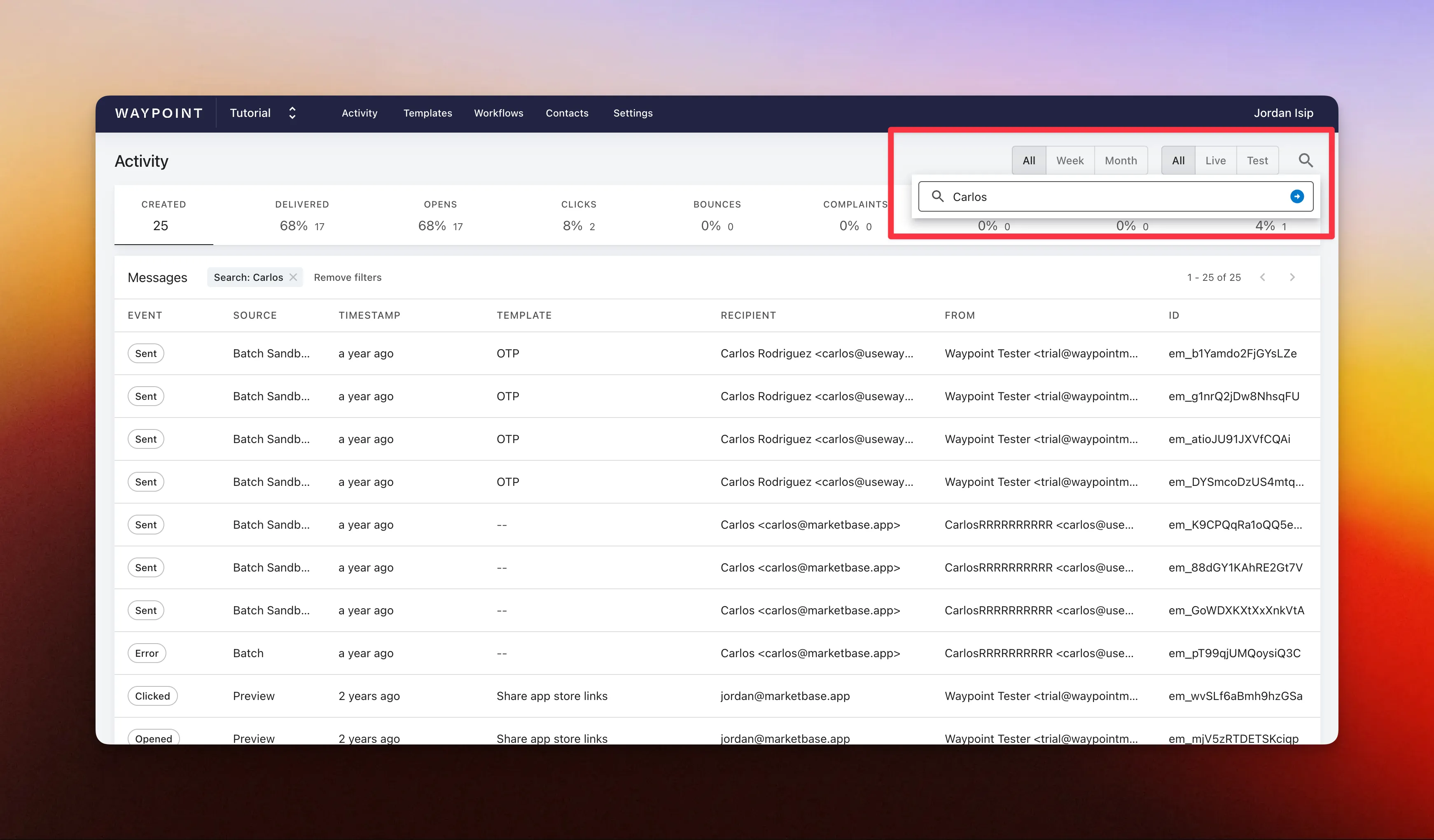
To search:
- Open the ‘Activity’ page in your workspace.
- Click the magnifying glass icon.
- Type a search term.
- Hit Enter.
Search matches keywords across these fields:
messageFrommessageTomessageCcmessageBccmessageReplyTomessageSubjectmessagePreheader
Export message activity
Section titled “Export message activity”Export email message activity as a CSV file for further analysis or reporting. The export includes the messages that match your active filters.
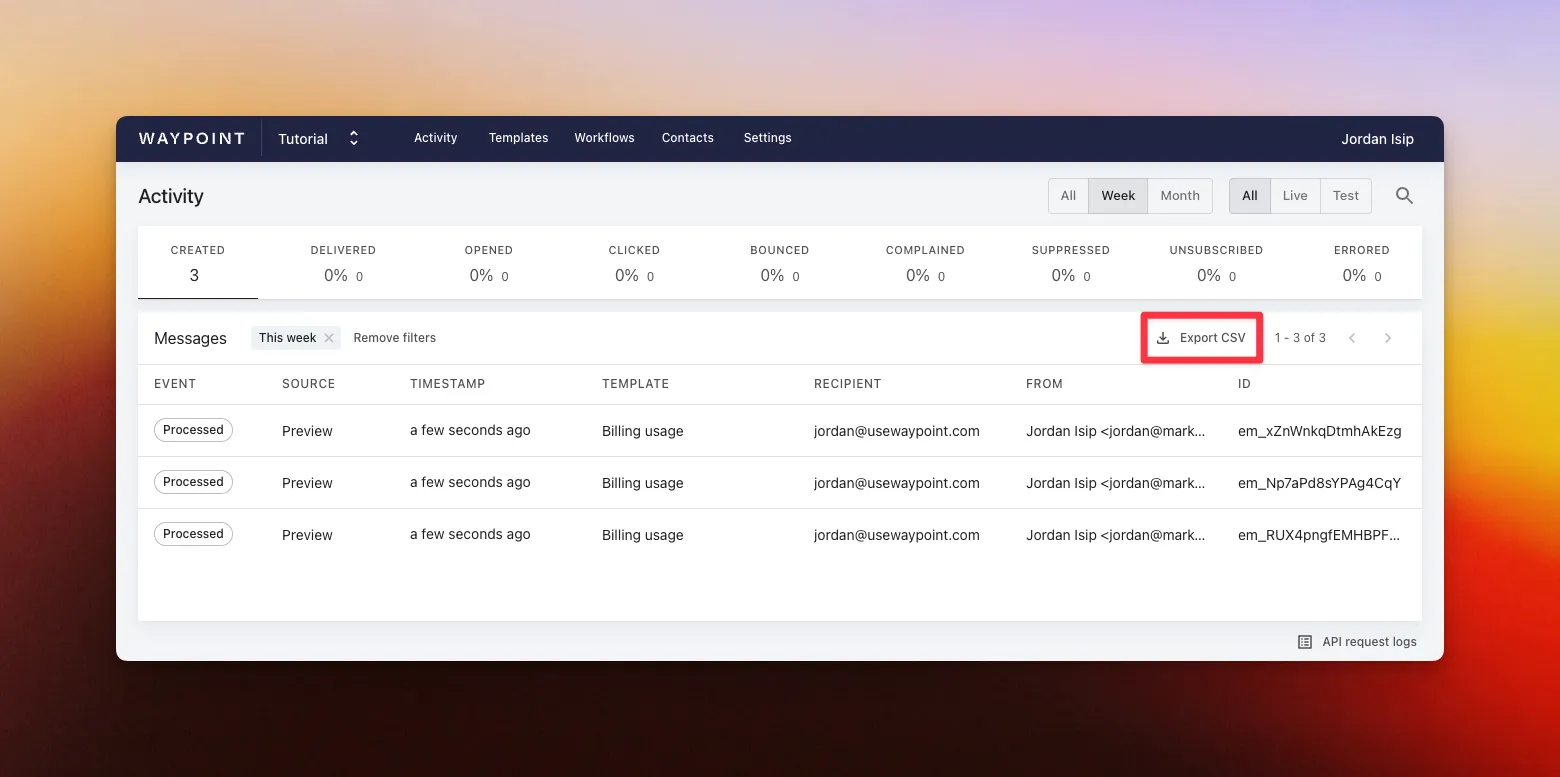
To export message activity:
- Open the ‘Activity’ page in your workspace.
- Apply filters to narrow down the messages you want to export.
- Click Export CSV.
Messages by template
Section titled “Messages by template”Every message stays linked to the template it was sent from, so you can pull up all messages for a given template.
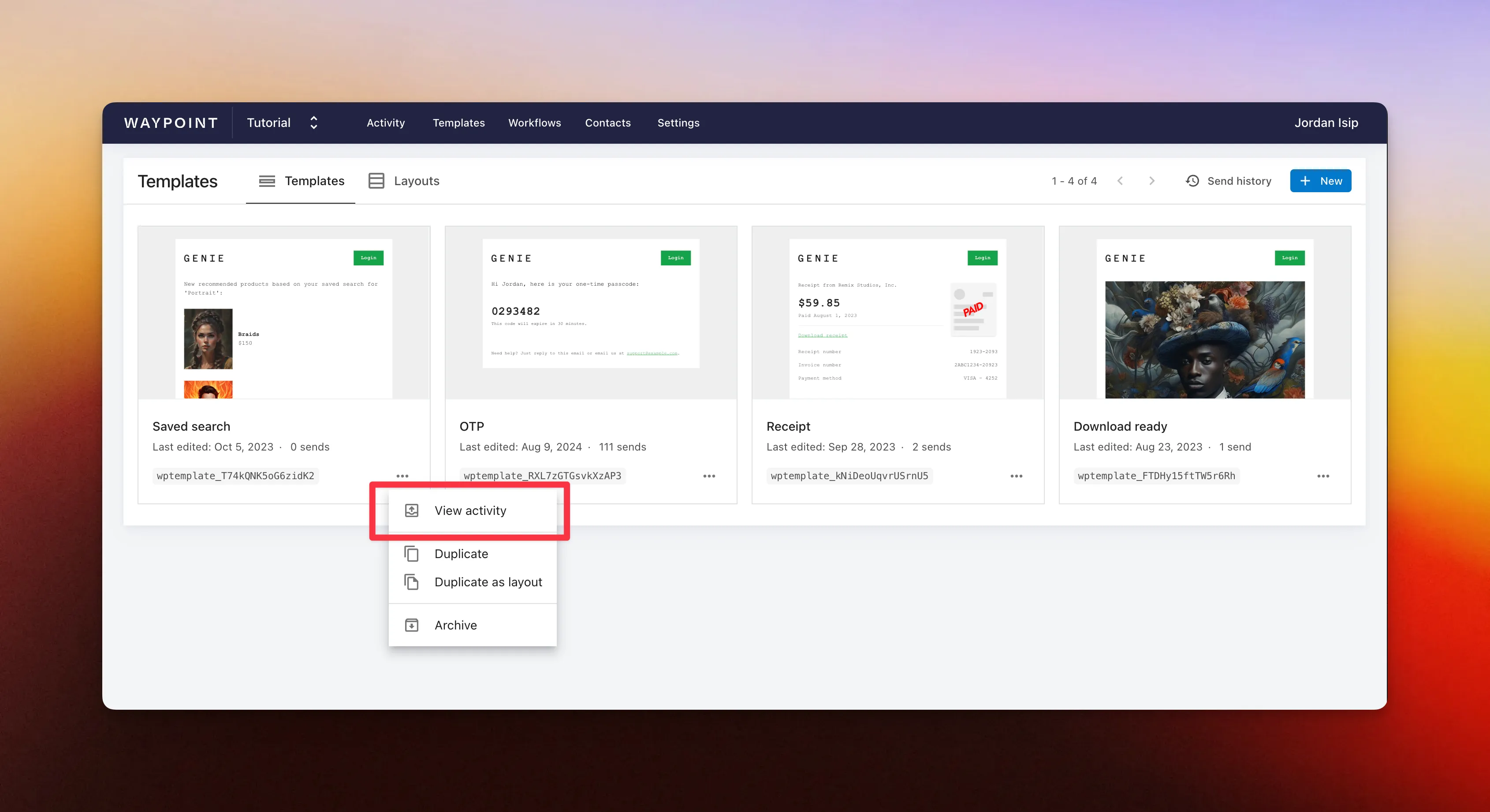
- Open the ‘Templates’ page in your workspace.
- Click the ’•••’ menu next to a template.
- Click ‘View activity’.
API endpoints
Section titled “API endpoints”- List emails API